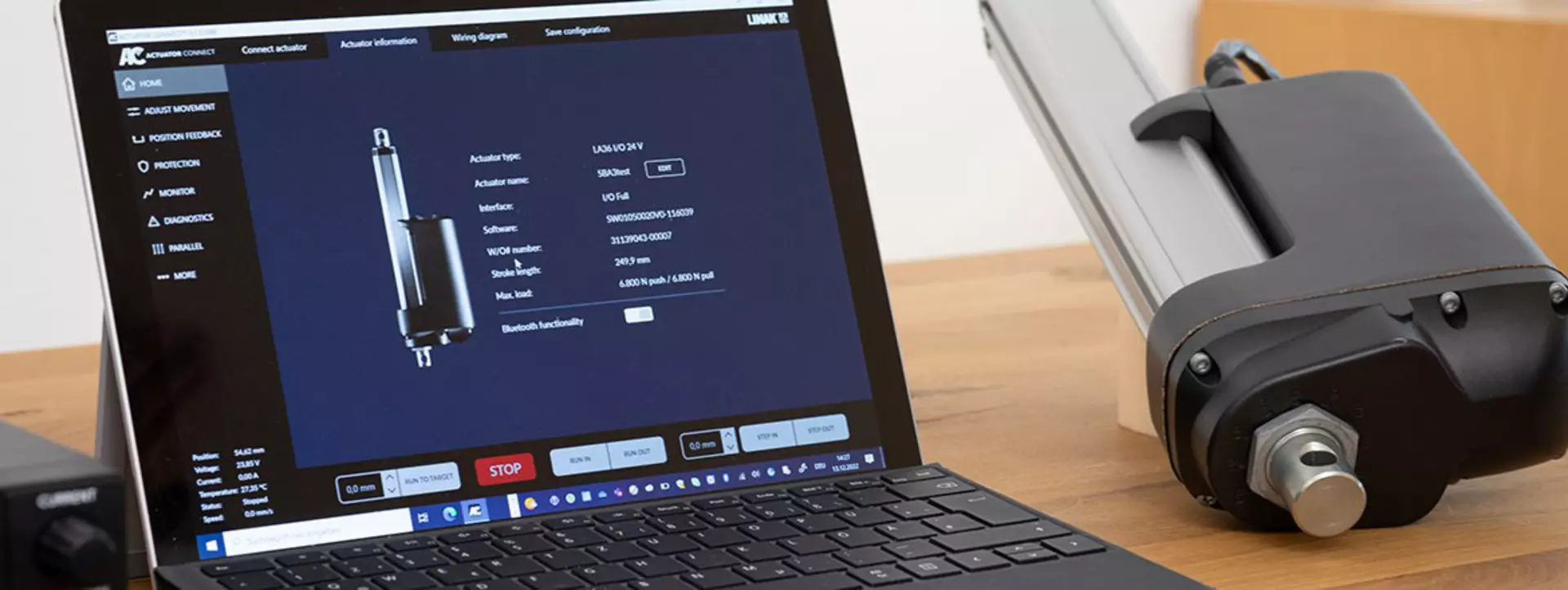
Take control, configure parameters, and monitor the behaviour of your electric linear I/O™ actuator via Actuator Connect after installing the configurator on your PC.
Let Hunter guide you through the LINAK Actuator Connect configurator. You can also download the latest version of the free tool.
This type of actuator can be wirelessly connected to a PC via Bluetooth®, or you can connect with a USB cable kit (sold separately). Whether you are going for the wireless or cabled connection, the first step is to apply either 24 V or 48 V power to the actuator (see the product label for further information).
Connect the signal cable to the actuator to ensure a stable Bluetooth connection. By default, the I/O actuator will be listed on the device list with its unique serial number (W/O#) and a Bluetooth symbol.
The USB cable kit includes two cables: a y-cable to be connected to both cable inputs of the actuator (power and signal), and a USB cable with an ethernet adapter that must be connected to the y-cable. If the same actuator is connected via the USB cable kit, it will also be shown with a USB symbol – note that in this case the name is linked to the USB cable and not the actuator itself.
The Bluetooth® Low Energy antenna is mounted on the PCB inside the actuator aluminium housing. The housing reduces the signal strength significantly, and it is therefore important to also insert the signal cable. The signal cable has a dedicated wire to boost the Bluetooth Low Energy signal, and if the cable is not inserted, the actuator will have problems establishing a connection. Make sure you also insert the signal cable to make the actuator appear on the device list in Actuator Connect.
Yes! LINAK® is aware that not every project requires
Therefore, you might experience that some features are locked in Actuator Connect™, if the actuator is a Basic or Customised version.
All the features can still be explored, but configurations and changes cannot be applied.
Yes! I/O actuators offer various wiring possibilities for input and output. The functionality of these inputs and outputs can be customised directly in Actuator Connect™, and the wiring diagram is updated accordingly.
A total of 6 wires can be customised. Some of the wires are reserved for a specific functionality and cannot be changed.
Yes, in Actuator Connect™ you can ‘Save configuration’. This is especially useful, if you are testing various features on a prototype and would like to make a backup of the configuration. Indeed a time-saving feature for e.g. parallel systems, as you do not have to configure every single feature on all actuators.
Did you know?
You can control Actuator Connect™ directly from your desk
Actuators with IC – Integrated Controller™ from LINAK® can be configured via the Actuator Connect configurator. The comprehensive features in Actuator Connect give you the flexibility to configure and test your software settings again and again without having to order a new prototype. By conducting actuator tests, you get an indication of whether the initial calculations are the correct actuator specifications for your application.
There are several benefits of using Actuator Connect
- Easy connection – connect the actuator with a USB cable or wirelessly with Bluetooth®.
- Configuration – find the exact features you need and take control of your linear movement.
- Real-time and historic data – take data-driven decisions, and use data for monitoring, diagnostics or continuous improvements.
You can monitor usage data
Get real-time and historic usage data for useful insights. The data can provide details about actuator performance in the application.
- Run the actuator and monitor real-time data to learn whether the actuator performs as intended.
- Get a brief overview of the most important historic usage data which are saved for the actuator.
- Export a PDF with comprehensive usage data from the entire lifespan of the actuator.
Related topics
The Bluetooth® word mark and logos are registered trademarks owned by Bluetooth SIG Inc. and any use of such marks and logos by LINAK® is under license.