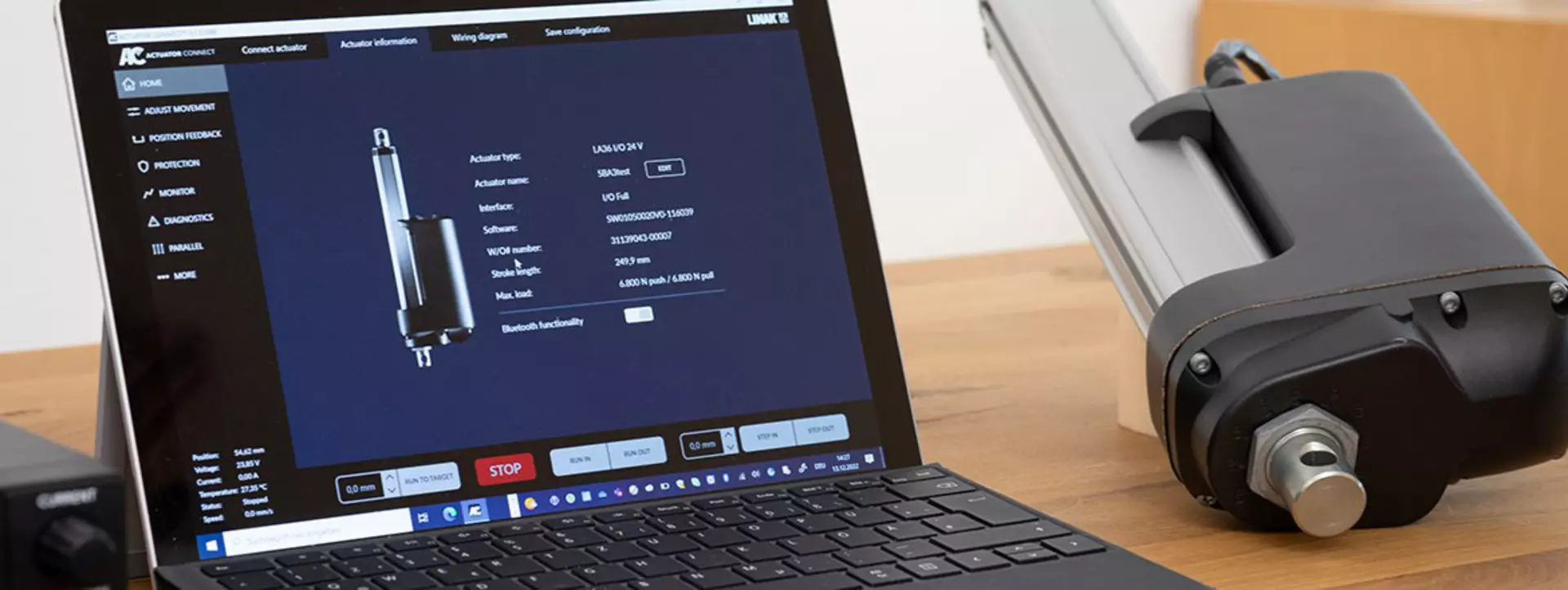
The ’Monitor’ features in the Actuator Connect™ configurator allow you to see real-time and historic usage data for the connected actuator. These data can be used to gain insights about the performance of the electric actuator in your application.
Let Hunter guide you through the Monitor features of an I/O actuator, one of several options configurable within the Actuator Connect configurator for the I/O interface.
Learn more about our I/O interface , or download a free version of the latest Actuator Connect configurator.
If you open the Actuator Connect™ configurator and the monitor option, ‘Real-time Charts’ is the first tab that appears. There are five things you can monitor in real-time on the graph:
By conducting actuator test runs, it is possible to get an indication of how well the electric actuator can handle the real-world conditions it has been designed for.
Just like we offer real-time charts, you can get real-time information about the electric actuator’s current consumption or temperature via an analogue or digital signal directly to your PLC.
By using the analogue output, you can get a real-time view of the exact values – presented as either a 0-10 V or 4-20 mA signal (ranges can be customised).
With the digital signal, you can monitor a predefined range and be alerted if the measured values are outside of this range.
You can download a complete report as a PDF directly from Actuator Connect with general information about the actuator – type, position, last known status etc. – and comprehensive usage data that summarises all stored historical data – incl. error logs – over the entire lifespan of the actuator. You can use this data to analyse the performance of one electric actuator or compare several actuators.
The PDF also contains the actual wiring diagram and software configuration which can be used if you want to order new actuators or simply as a starting point for a technical discussion with
Did you know?
You can use the “Monitor” feature to take advantage of both real-time and historical usage data for your electric linear actuator and gain valuable insight into the actuator's performance in your specific setup.
When you run the actuator, you can monitor real-time details such as position, voltage, current and temperature. Test the actuator to document how well it handles real-life challenges and scenarios. Usage data is compiled from the second you switch on the actuator. The historical data provides a detailed overview of the actuator performance throughout its lifetime.